For shops, freelancers and small businesses across India
Track the Flow, Watch it Grow.
Make GST invoices, see who still owes you money, and send a WhatsApp reminder with the message already written.

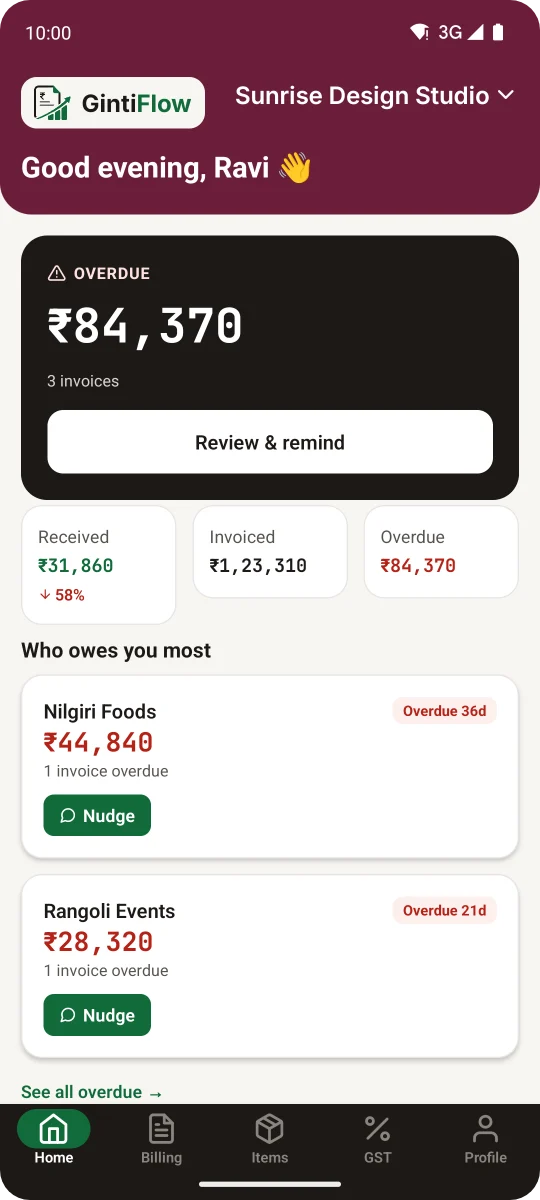
Real GintiFlow screens with a demo business and sample figures.
Everything you need to get paid on time.
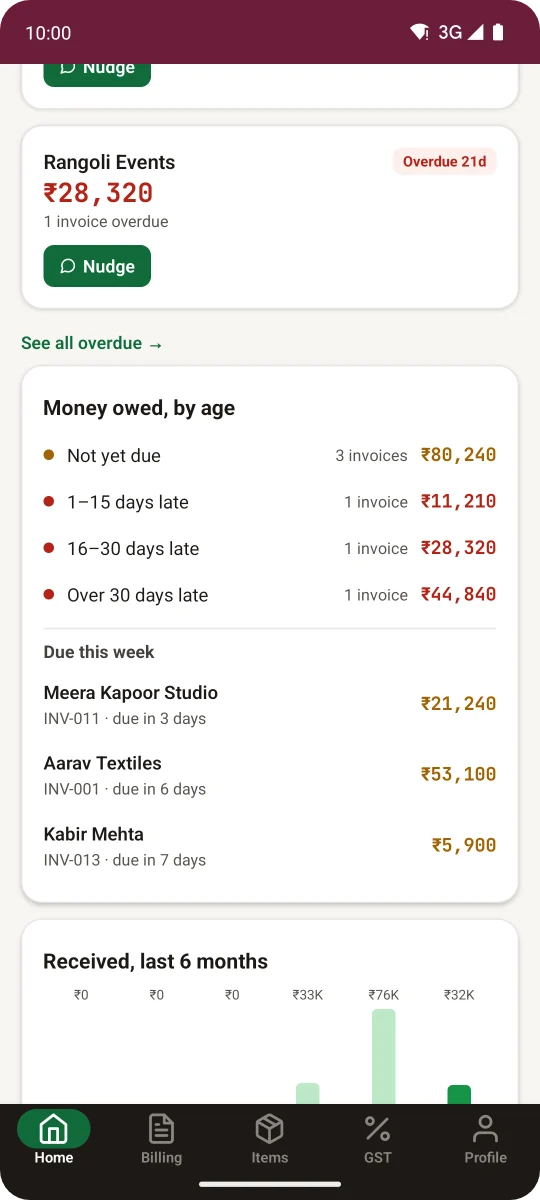
See who owes you, and how late
Unpaid invoices are grouped by how many days late they are, with the ones due this week listed underneath. You know whom to call first.
Tap Nudge and WhatsApp opens with a polite reminder for that customer, showing the balance still due. You read it and press send.
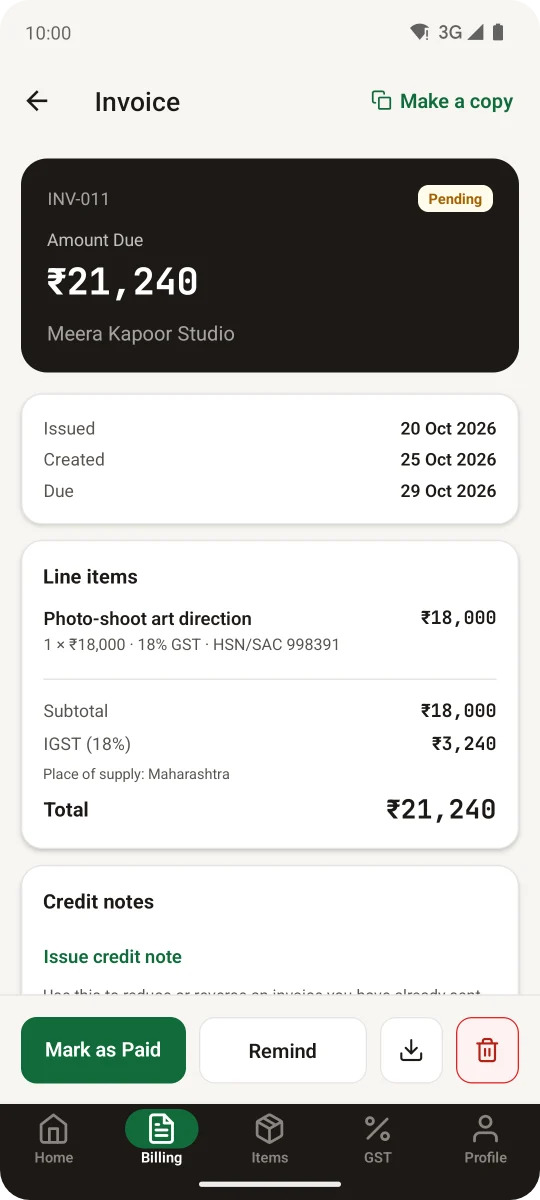
An invoice your customer can pay from
Your business name, GSTIN, logo and bank details print on the PDF, with a UPI QR code the customer scans to pay. Share it on WhatsApp or print it at the counter.
GST is worked out per item, CGST and SGST or IGST by the customer's state. When the money comes in, mark the invoice paid.
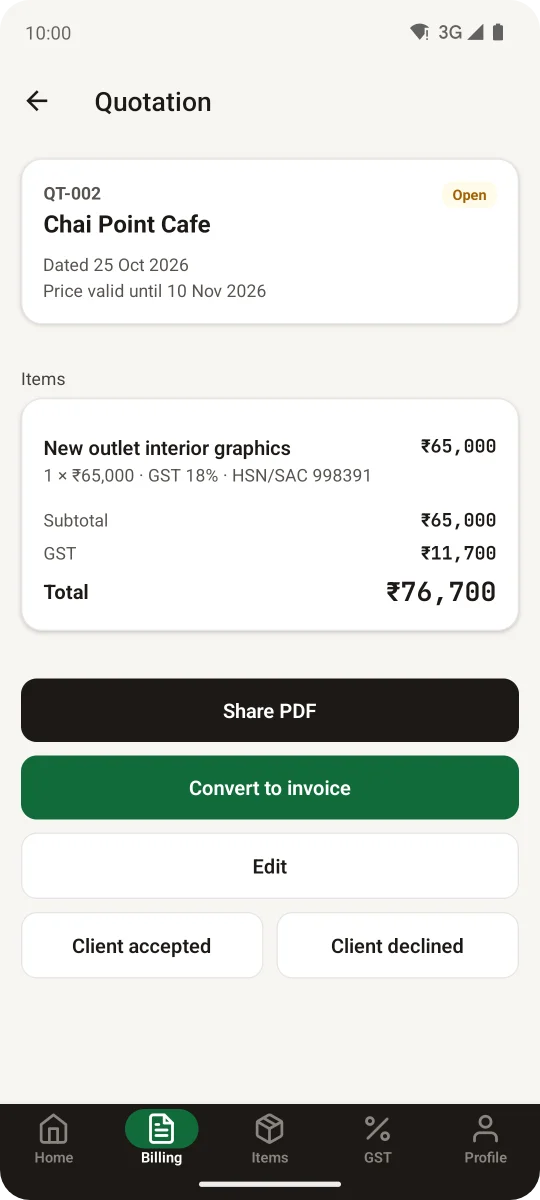
Quotations and delivery challans
Send a quotation with a date until which the price holds. When the customer agrees, turn it into an invoice in one tap, with the same items and prices.
Delivery challans work the same way for goods that leave before the bill does.
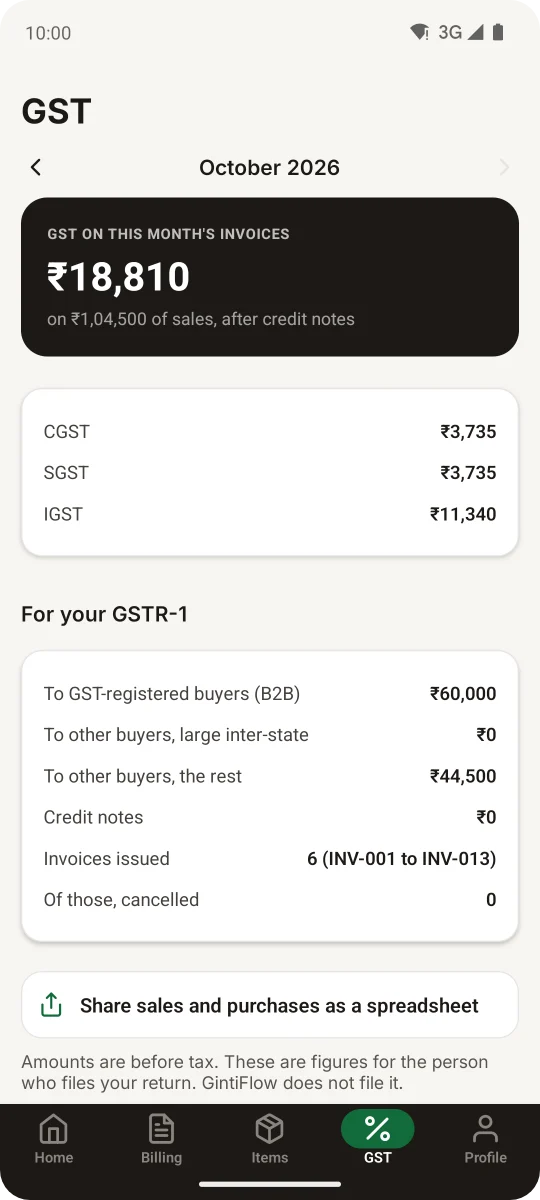
The month's GST figures for your CA
The GST tab adds up your invoices the way GSTR-1 asks for them. Add your purchase bills and it sets the GST you paid against the GST you collected.
Download it all as one spreadsheet for whoever files your return. GintiFlow does not file returns.
Also included
- E-way bill file. Fill a short form and get the file the e-way bill portal accepts for bulk upload.
- Saved items. Keep a price list so an invoice line fills in with one tap.
- Credit notes. Reduce or cancel an invoice you have already sent, and the GST figures follow.
- Up to three businesses. Switch between them from the same login, each with its own invoices and GSTIN.
- Monthly customers. Mark who pays every month and see who has been billed and who has paid.
- Reports. What you billed each month and to which customers, with a spreadsheet for your CA.
Simple to start, and your data stays yours.
- Your name on the invoice. No GintiFlow logo or footer on your PDFs, on any plan.
- No bank linking. Sign up with Google or your email. You type in only what you want on the invoice.
- Nothing to sell you. We don't offer loans, insurance or investment products, so the calculators show you the numbers and stop there.
- A person replies. Write to support@gintiflow.com and someone from the team answers.
From sign-up to paid, in four steps.
- 1
Sign up free
With Google or your email. No card, no bank linking.
- 2
Add your business name and UPI ID
They print on every invoice, with a scan-to-pay QR. Add your GSTIN if you're registered.
- 3
Make the invoice
Pick the customer, add items, and share the PDF on WhatsApp or print it at the counter.
- 4
Get paid, then mark it paid
See who owes you and how late. Remind them in one tap; the message is already written.
One account on your computer and your phone.
Make invoices on the computer at work and check who has paid on your phone later. Everything you add shows up in both places.
The website is ready to use today. The Android app is in testing on Google Play, and the iPhone app will follow.
Tax and savings calculators, free without an account.
Nothing you type here is stored. In the app's Personal mode you can also save goals and keep track of what you own, including gold, FDs, chit funds and money lent to family.
Income tax
Old vs new regime, FY 2025-26.
Business tax
Presumptive income under 44ADA / 44AD.
GST amount
Add or remove GST, with the CGST/SGST/IGST split.
SIP
What a monthly investment could grow to.
EMI
The monthly instalment on a loan.
FD
Fixed deposit maturity value.
RD
Recurring deposit maturity value.
Goal planner
How much to invest each month to hit a target.
RBI Bonds
Maturity value on a government-backed 7-year bond.
Results are estimates for learning, not investment advice.
Make your first invoice today.
Sign up free with Google or your email. It takes about a minute.